
Customise your Settings and Privacy
Preferences
- Units Choose how Outmap shows distance, speed and pressure.
- Metric: uses kilometres, km/h and kPa.
- Imperial: switches everything over to the imperial equivalents.
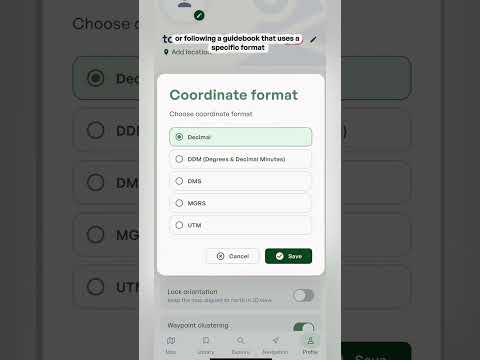
- Coordinate format Choose how locations are written.
- Decimal (the default): a single pair of numbers, like 49.2827, -123.1207.
- DMS: splits each number into degrees, minutes and seconds.
- MGRS: a grid system that gives a position in metres across a map grid.
- UTM: another grid system that gives a position in metres across a map grid.
- Bearing reference Choose between true north and magnetic north for your bearings.
- True north: points to the North Pole.
- Magnetic north: is where a compass needle points.
- Lock orientation Keeps the map pointing north in 2D view, so it doesn't rotate as you turn or move. Best for: always knowing which way is north at a glance, and matching the map to the terrain in front of you without it spinning.
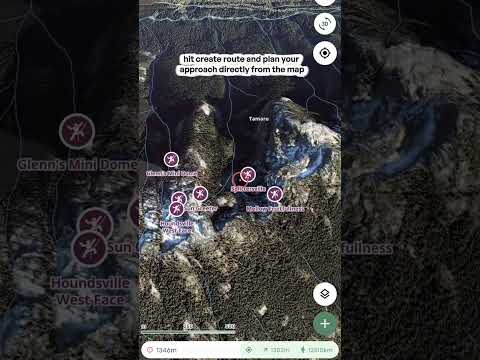
- Waypoint clustering Groups nearby waypoints into a single marker when you're zoomed out, so the map doesn't fill up with pins. Zoom in and they spread back out. Best for: busy areas with lots of waypoints close together.
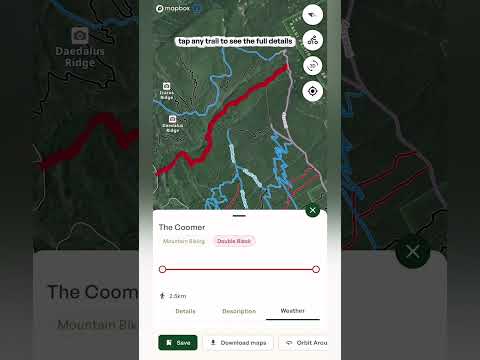
- Contour lines Shows terrain contour lines on top of satellite imagery. Each line joins points at the same elevation, so lines close together mean steep ground and lines far apart mean gentle ground. Best for: reading the shape of the terrain, like ridges, gullies and how steep a slope is, while you're on a satellite view.
- Keep screen awake Stops your phone's display from turning off while Outmap is open. Best for: navigating on the go, so the screen doesn't lock while you're checking the map. It does use more battery, so switch it off when you don't need it.
- Metric: uses kilometres, km/h and kPa.
- Imperial: switches everything over to the imperial equivalents.
- Decimal (the default): a single pair of numbers, like 49.2827, -123.1207.
- DMS: splits each number into degrees, minutes and seconds.
- MGRS: a grid system that gives a position in metres across a map grid.
- UTM: another grid system that gives a position in metres across a map grid.
- True north: points to the North Pole.
- Magnetic north: is where a compass needle points.
Tracking
- Stats in notifications Shows your live stats in a notification while you're tracking an activity. Best for: checking distance and time at a glance without opening the app.
Privacy
- Recorded activity privacy Choose whether your new recorded activities stay private, or can be used to build anonymous community heatmaps.
- Private: only you see your tracks.
- Opted in: your activity can be used to build anonymous community heatmaps.
- Private: only you see your tracks.
- Opted in: your activity can be used to build anonymous community heatmaps.
Tip: play around with these settings to find what works best for you.