
A guiding team’s terrain knowledge. Your friends’ ideas for the next hut trip. A collection of routes you want to share with the community.
Outmap’s new shared lists bring those items into one place, with updates synced directly to the people using them.
Share a plan with your crew
A guiding operation can keep its tenure boundaries, routes, and meeting points in a private list, then invite the guides or members who need access. Update the list, and those changes sync to their Library—without sending another batch of GPX files.
For a group of friends, a shared list becomes the working plan for the next adventure. Everyone can bring their route ideas, possible campsites, and places worth exploring together.
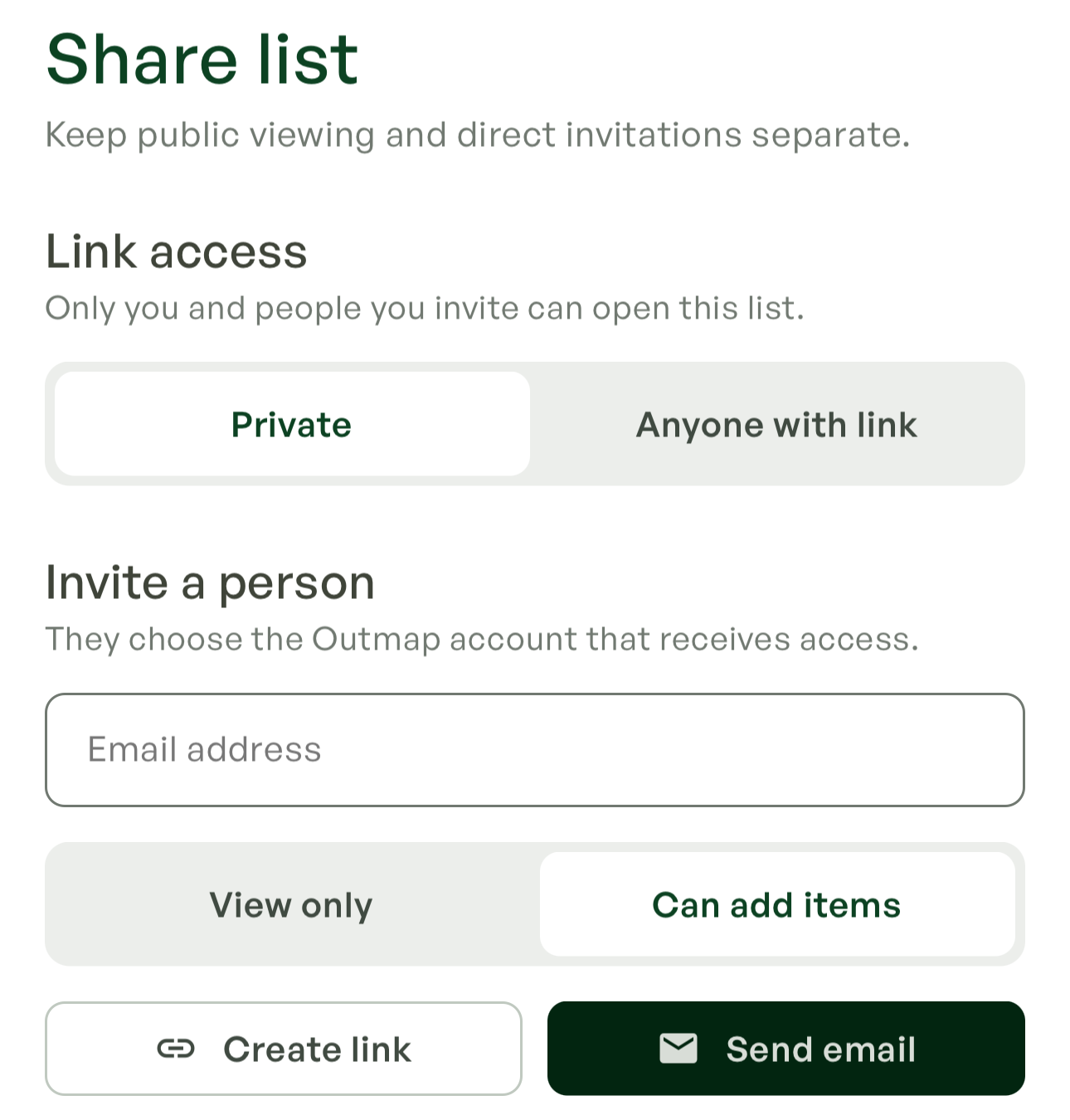
Choose what each person can do:
- View only: open the list and its items, see them on the map, and receive updates.
- Can add items: contribute their own routes, waypoints, and areas, and remove their own contributions. This doesn’t give them permission to edit someone else’s items.
Invitations can be sent by email or shared as an invitation link. Access starts when the recipient accepts using their Outmap account.
Keep control of private information
The owner manages access and can change a member’s permissions or revoke their access individually.
Privately shared items cannot be saved as separate personal copies or exported. Recipients get access to the shared content without receiving an independent copy to keep or redistribute.
If someone’s access is removed while their phone is offline, that change takes effect when the device reconnects and syncs.
For sensitive operational information, keep the list private and invite people directly. Anyone with link is a separate option for content you want to make publicly accessible.
Publish a list people can follow
Public lists work well for a collection of local rides, suggested hikes, or routes from a club or community.
Share the link, and people can open the list and choose Add to Library to follow it. As the collection changes, those updates sync into their Library. Following a list keeps them connected to the collection as it evolves.
Once synced, shared routes, waypoints, and areas remain available offline. Open Outmap before leaving connectivity so the latest changes can finish syncing. Download the underlying map separately for the area you’ll visit.
Whether you’re coordinating guides, planning with friends, or sharing local knowledge, shared lists mean fewer files to send and fewer outdated plans to track down.